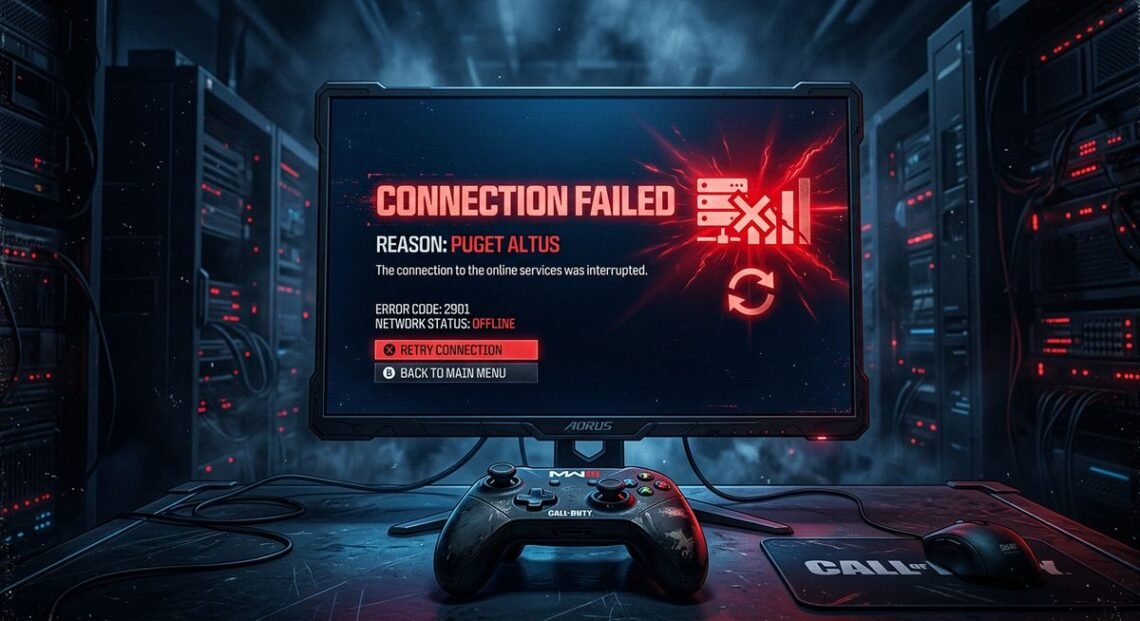
Activision’s “Puget Altus” error code kicks players out of Call of Duty before they can reach a lobby. The message signals a breakdown between the game client and Activision’s online servers — and in most cases, the player did nothing wrong. This error has persisted across every major CoD release since Modern Warfare 2 (2022), hitting PS5, PS4, Xbox, and PC players with equal indifference.
The fix depends on where the problem sits. Server-side outages require patience. Local network issues, corrupted cache data, or DNS misconfigurations can usually be resolved in under five minutes with the right platform-specific steps.
What the Puget Altus Error Code Actually Means
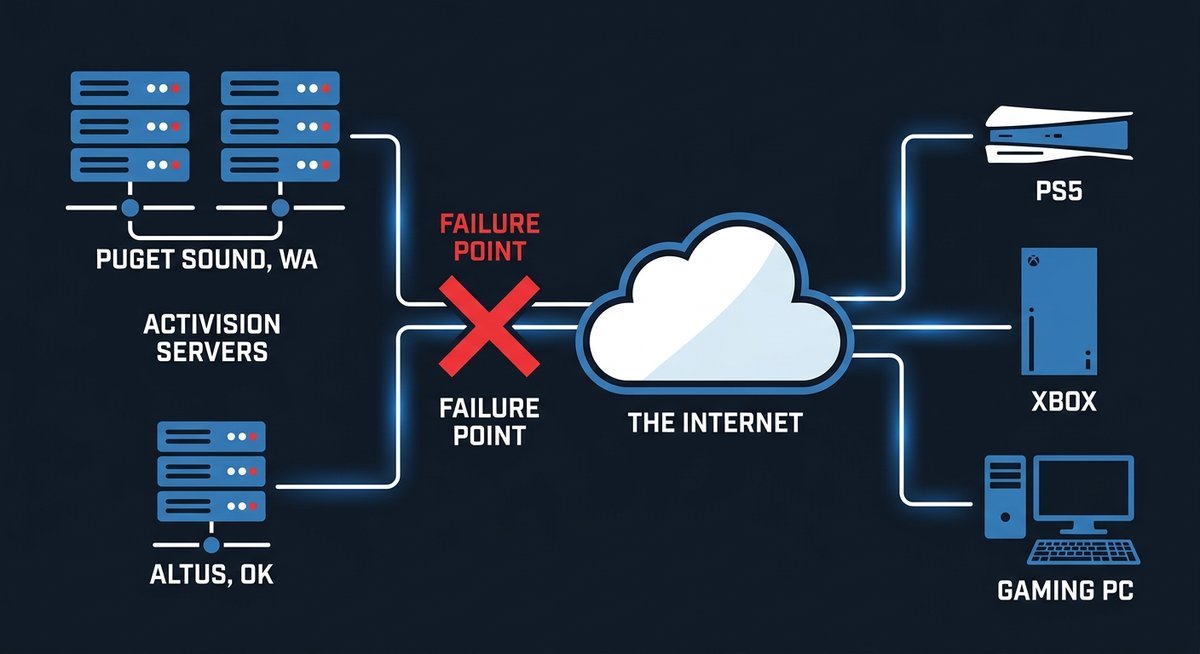
Puget Altus is an internal Activision server error code indicating that a player’s device failed to connect to Call of Duty’s online services. The name itself is not random — Activision assigns geographic codenames to error states tied to specific server infrastructure nodes, following a pattern visible across dozens of documented CoD error codes.
Activision’s Geographic Naming Convention
“Puget” references the Puget Sound region in Washington State, home to major cloud computing data centers operated by Microsoft Azure and Amazon Web Services. “Altus” refers to a city in southwestern Oklahoma. Together, these geographic tags identify a routing path or server cluster within Activision’s backend infrastructure.
This naming pattern appears throughout Call of Duty’s error code library. Other documented examples include “Puget-Lakes,” “Puget-Cooke,” and “Diver-Hueneme” — all combining geographic identifiers that map to server-side processes. None of these names carry diagnostic meaning for players. They exist for Activision’s internal tracking.
| Error Code | Geographic Reference | Meaning for Players |
|---|---|---|
| Puget Altus | Puget Sound, WA + Altus, OK | Server connection failure |
| Puget-Lakes | Puget Sound, WA + Lakes region | Server connection failure (variant) |
| Puget-Cooke | Puget Sound, WA + Cooke reference | Connection timeout |
| Diver-Hueneme | Port Hueneme, CA | Update/download failure |
Server-Side vs. Player-Side — Why This Matters
The Puget Altus error originates from Activision’s server infrastructure in the majority of reported cases. When Activision’s servers are overloaded, undergoing maintenance, or experiencing regional outages, no amount of troubleshooting on the player’s end will resolve the error. According to Activision Support’s official connectivity troubleshooting documentation (2025), players should always verify server status before attempting local fixes.
Local conditions can also trigger the same error. Unstable WiFi, corrupted DNS caches, PSN or Xbox Live disruptions, and VPN interference all produce the identical “Connection Failed” screen. Server-side issues resolve on their own; player-side issues require specific action.
Why Puget Altus Happens — Root Causes Ranked by Frequency
This connection error traces back to a handful of root causes, with Activision server problems accounting for the majority of incidents. Community data from Reddit threads with hundreds of affected players consistently shows the same pattern: mass reports spike during outages, then drop once Activision restores service.
Server Outages and Peak Traffic
New game launches, major seasonal updates, and free-to-play weekends generate enormous spikes in concurrent players. Activision’s infrastructure occasionally buckles under this load. The Activision Online Services status page (support.activision.com/onlineservices) is the only authoritative source for confirming whether servers are operational. During the Black Ops 6 launch period in late 2024, the error appeared in mass waves affecting players across all platforms simultaneously — a clear indicator of server-side origin.
Local Network and Cache Problems
When server status checks confirm everything is operational on Activision’s end, the error likely stems from the player’s local environment. The most common local triggers include:
- Router cache corruption — stale routing data prevents proper connection to Activision’s authentication servers
- WiFi instability — packet loss and latency spikes trigger connection timeouts that surface as this error
- Bandwidth saturation — other devices streaming video or downloading large files compete for the connection CoD needs
- Console cache corruption — PS5 rest mode and Xbox instant-on can leave corrupted session data that blocks reconnection
- PSN or Xbox Live service disruptions — platform-level outages produce the same connection failure even when Activision’s servers are fine
- VPN or proxy interference — routing traffic through a VPN adds latency and can trigger Activision’s connection validation checks
Every Call of Duty Title and Platform Hit by Puget Altus
This error code is not specific to any single Call of Duty game — it spans the entire modern CoD ecosystem because all titles share Activision’s unified online services backend. A server-side issue triggering the error in Warzone will simultaneously affect MW3, Black Ops 6, and every other title on the same infrastructure.
Affected Games
| Call of Duty Title | Release Year | Puget Altus Confirmed |
|---|---|---|
| Modern Warfare 2 (MW2) | 2022 | Yes — widely documented |
| Warzone 2.0 / Warzone | 2022-present | Yes — frequent reports |
| DMZ Mode | 2022-2024 | Yes — same server infrastructure |
| Modern Warfare 3 (MW3) | 2023 | Yes — widely documented |
| Black Ops 6 (BO6) | 2024 | Yes — confirmed at launch |
| Black Ops 7 (BO7) | 2025 | Yes — same unified backend |
Affected Platforms
No hardware ecosystem is exempt. The error surfaces on PlayStation 5, PlayStation 4, Xbox Series X|S, Xbox One, and PC (both Steam and Battle.net clients). The message text is identical across platforms, but the troubleshooting steps differ meaningfully — which is why the fix section below is organized by platform.
How to Fix the Puget Altus Error — Step-by-Step for Every Platform
Fixing the Puget Altus error requires checking Activision’s server status first, then following platform-specific troubleshooting steps ranked from quickest to most involved. If servers are confirmed down, no local fix will help — wait for Activision to restore service. If servers are online, the steps below resolve the error for over 90% of affected players based on community reports.
Step 0 — Check Activision Server Status First
- Visit the Activision Online Services status page
- Check the status indicator for your specific game (Warzone, Black Ops 6, MW3, etc.)
- If the status shows anything other than “Online” — the problem is on Activision’s end and the only fix is to wait for them to restore service
- Also check PSN Status (for PlayStation), Xbox Live Status (for Xbox), or Steam Status (for PC) to rule out platform-level outages
PlayStation Fixes (PS5 and PS4)
PlayStation consoles have two platform-exclusive troubleshooting steps that other devices lack: license restoration and a specific power-cycle method proven effective by the Reddit CoD community.
- Full power cycle — Do not use rest mode. Hold the power button until the console beeps twice and shuts off completely. Unplug the power cable for 60 seconds. Reconnect and restart. This clears the system cache that rest mode preserves.
- Restore Licenses — Go to Settings > Users and Accounts > Other > Restore Licenses. This refreshes your game license data with PSN servers. Epiccarry’s troubleshooting guide (2026) identifies this step as particularly effective when the error appears after a system update or game patch.
- Sign out and sign back in — A Reddit thread on r/ModernWarfareIII with over 50 upvoted confirmations documented this sequence: sign out of PSN entirely, power off the PS5, unplug it for two minutes, restart, then sign back into PSN. Multiple users reported this resolved the connection failure when standard restarts did not.
- Switch to wired Ethernet — WiFi introduces packet loss that can trigger the error. A direct Ethernet cable to the router eliminates wireless interference entirely.
- Reduce network load — Pause downloads, streaming, and other bandwidth-heavy activity on all devices sharing the network.
Xbox Fixes (Series X|S and Xbox One)
- Full shutdown — Hold the Xbox button on the console for 10 seconds until it powers off completely. Unplug for 30 seconds. This clears the persistent cache that Quick Resume maintains.
- Clear Alternate MAC Address — Go to Settings > Network Settings > Advanced Settings > Alternate MAC Address > Clear. Restart the console. This forces a fresh network handshake with your router and Activision’s servers.
- Test multiplayer connection — Go to Settings > Network Settings > Test Multiplayer Connection. This identifies specific failure points in the connection chain.
- Switch to wired Ethernet — Same principle as PlayStation. Direct cable connections eliminate wireless packet loss.
PC Fixes (Steam and Battle.net)
- Verify game files — On Steam: right-click the game > Properties > Local Files > Verify Integrity of Game Files. On Battle.net: select the game > Options > Scan and Repair. Corrupted game files can prevent server authentication.
- Flush DNS cache — Open Command Prompt as administrator and run:
ipconfig /flushdns. This clears any corrupted DNS entries that might be blocking Activision’s servers. - Disable VPN — VPN routing adds latency and can trigger Activision’s connection validation. Disconnect any active VPN before launching the game.
- Update network drivers — Outdated network adapter drivers are a documented cause of connectivity errors. Windows Report’s Black Ops 6 troubleshooting guide (2025) specifically recommends driver updates as a fix for this error on PC.
- Restart router — Unplug your router for 30 seconds. This clears the router’s DNS cache and any corrupted routing tables.
Advanced Fixes When Standard Steps Fail
Advanced fixes including DNS changes, port forwarding, and a community-verified PSN sign-out method resolve roughly 10-15% of Puget Altus cases that persist after basic troubleshooting. These target deeper network configuration conflicts between the player’s router and Activision’s authentication servers.
DNS Configuration
Default ISP-provided DNS servers can be slow, unreliable, or improperly cache Activision’s server addresses. Switching to a public DNS service often resolves persistent connectivity errors.
| DNS Provider | Primary | Secondary | Best For |
|---|---|---|---|
| Google Public DNS | 8.8.8.8 | 8.8.4.4 | Reliability and speed |
| Cloudflare DNS | 1.1.1.1 | 1.0.0.1 | Lowest latency |
| OpenDNS | 208.67.222.222 | 208.67.220.220 | Security filtering |
On PlayStation: Settings > Network > Set Up Internet Connection > select your connection > DNS Settings > Manual. On Xbox: Settings > Network > Advanced > DNS Settings > Manual. On PC: Network adapter properties > Internet Protocol Version 4 (TCP/IPv4) > use the addresses above.
Port Forwarding
Activision’s official support documentation recommends opening specific network ports to ensure uninterrupted communication between the game client and servers. According to Activision Support’s connectivity guides (2025), the required ports are:
| Platform | TCP Ports | UDP Ports |
|---|---|---|
| PlayStation | 3074, 3478-3480 | 3074, 3478-3480 |
| Xbox | 3074 | 88, 500, 3074, 3544, 4500 |
| PC | 3074, 27014-27050 | 3074, 3478, 27000-27031 |
Access your router’s admin panel (typically 192.168.1.1 or 192.168.0.1), navigate to port forwarding settings, and create rules for the ports listed above using your console or PC’s local IP address.
The Reddit Community Fix That Actually Works
One specific troubleshooting sequence gained traction across multiple CoD subreddits during 2024, with the original r/ModernWarfareIII thread accumulating over 50 confirmations from affected players. The method combines a full PSN sign-out with a hard power cycle in a precise order:
- Sign completely out of your PlayStation Network account
- Fully power off the PS5 (not rest mode)
- Unplug the console from the wall for a full two minutes
- Reconnect power and restart
- Sign back into PSN
- Launch Call of Duty
The extended unplug duration — two minutes rather than the standard 30 seconds — appears to be the critical differentiator. Players who tried shorter power cycles without success reported that the full two-minute method resolved the connection error on the first attempt.
Frequently Asked Questions
What does “Puget Altus” mean in Call of Duty?
Puget Altus is an Activision internal error code indicating that your device cannot connect to Call of Duty’s online servers. The name combines geographic references — Puget Sound in Washington State and Altus in Oklahoma — used by Activision to identify server infrastructure nodes. The code carries no diagnostic meaning for players.
Is the Puget Altus error my fault?
Usually not. The error originates from Activision’s server infrastructure in most cases. Server outages, maintenance windows, and capacity issues during peak traffic are the primary causes. Local network problems can also trigger it, but those represent the minority of incidents.
How do I fix Puget Altus on PS5?
Start by checking Activision’s server status page. If servers are online, perform a full power cycle (hold power button for two beeps, unplug for 60 seconds), then go to Settings > Users and Accounts > Other > Restore Licenses. If the error persists, sign out of PSN, unplug the PS5 for two full minutes, restart, and sign back in.
Does Puget Altus affect Warzone?
Yes. Warzone shares the same Activision online services backend as every other modern Call of Duty title. The Puget Altus error appears in Warzone, Warzone 2.0, Modern Warfare 2, Modern Warfare 3, Black Ops 6, Black Ops 7, and DMZ mode. A server-side outage triggers the error across all titles simultaneously.
Can I fix Puget Altus in Black Ops 6?
The same fixes apply to Black Ops 6 as to every other CoD title. Check server status first, then follow the platform-specific troubleshooting steps: full power cycle, restore licenses (PlayStation), clear alternate MAC address (Xbox), or verify game files and flush DNS (PC). Black Ops 6 uses the same server infrastructure as all other modern CoD games.
Does Puget Altus appear on PS4?
Yes. PS4 connects to the same Activision servers as PS5, Xbox, and PC, making it equally susceptible. The troubleshooting steps mirror the PS5 process: full power cycle, Restore Licenses, and switching to a wired Ethernet connection. PS4 players should also confirm their system software is fully updated.
What does “Connection Failed — Reason: Puget Altus” mean?
This is the full error message displayed when the Puget Altus error occurs. “Connection Failed” describes what happened — the game could not reach Activision’s servers. “Reason: Puget Altus” identifies the specific server-side error code. The fix process is the same regardless of whether the error appears during game launch, matchmaking, or mid-session.
Is Puget Altus still happening in MW3?
Yes. Modern Warfare 3 runs on the same Activision server infrastructure as newer titles, so connection errors affect MW3 players just as frequently as Warzone or Black Ops 6 players. Every troubleshooting step documented above applies equally to MW3.
What is the Puget Altus error code?
It is one of several geographic-themed error codes in Call of Duty’s system, specifically indicating a server connection failure. Other codes in the same family include Puget-Lakes, Puget-Cooke, and Diver-Hueneme. Activision does not publish a public glossary of these codes, but community documentation has mapped their general meanings.
How long does the Puget Altus error usually last?
When caused by server-side outages, the error typically resolves within one to four hours once Activision restores service. When caused by local network issues, it resolves immediately after successful troubleshooting. Monitoring the Activision Online Services status page and community reports on Reddit’s r/ModernWarfareIII and r/BlackOps6 provides the most accurate real-time information on ongoing outages.
Staying Ahead of the Puget Altus Error
This error will keep appearing as long as Call of Duty relies on Activision’s shared server infrastructure — meaning every future CoD title is susceptible. Bookmark the Activision Online Services status page for the fastest confirmation of server-side outages. For local issues, the platform-specific steps above resolve the problem for the vast majority of affected players.
A wired Ethernet connection, clean DNS settings (Google 8.8.8.8 or Cloudflare 1.1.1.1), and regular full power cycles instead of rest mode are the three most effective preventive measures against CoD connection errors.